How to Send a Virtual Hug That Actually Feels Like One
Published 2026-10-22
Want to skip straight to it? Use the AI Hug Generator: The AI Hug Video Generator for Two Photos — two photos, a few minutes.
Why Send a Virtual Hug
Some days a message is not enough and a visit is not possible. A friend is ill, a parent lives abroad, a partner is on the other side of the world, or someone just had bad news. To send a virtual hug is to say “I would be there if I could” in a way that is warmer than a thumbs-up.
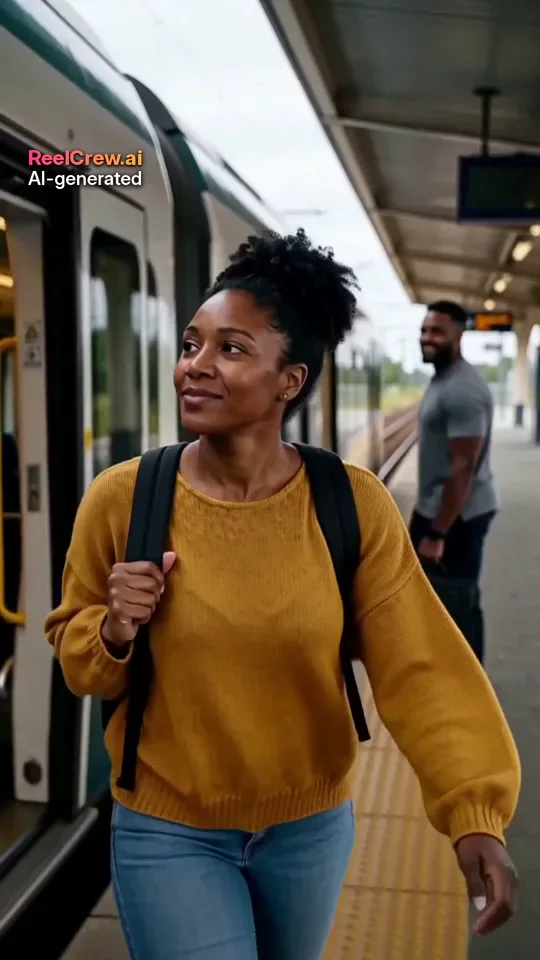
This guide collects simple ways to send a virtual hug, from free ones that take ten seconds to a short AI hug video made from two photos, which is the part ReelCrew helps with. Every face in the example images on this page is AI-generated, and no real customers are shown.
Quick Ways to Send a Virtual Hug in a Message
1. The hug emoji, with words. The hugging face emoji or a pair of open arms is fine on its own, but it lands better with one sentence: “Sending you a big hug, thinking of you today.” The words do the work; the emoji is the gesture.
2. A hug GIF that fits the person. A favourite cartoon, film or animal hugging is a small joke you share. Pick something you know they will recognise rather than the first result.
3. A voice note. Hearing your voice is the closest thing to being in the room. Thirty seconds of “I just wanted to hug you” often means more than a long text.
Virtual Hugs That Take a Little More Effort
4. A video call with a hug at the end. Wrap your arms around yourself, or hug a cushion on camera. It is silly, and that is the point.
5. A “hug in a box”. Send a small parcel with tea, a soft blanket or a handwritten note, and call it a hug in a box. It arrives days later, so pair it with a message now.
6. A shared song. Send a song that reminds you of them and say why. Listening at the same time on a call turns it into a small moment together.
7. A photo from a time you hugged for real. A picture of the two of you from a past visit says “we will do this again”.
Send a Virtual Hug as a Short Video
8. An AI hug video. If you have a photo of yourself and a photo of the other person, the ReelCrew AI Hug template turns them into a 12-second vertical video of the two of you hugging, 1080×1920, with sound. The photos do not need to be taken together, which is exactly the situation when you want to send a virtual hug.
Be clear with yourself about what it is: a generated scene, not a real moment. The AI follows both faces, but the result may not look exactly like you, and every video carries a small “AI-generated” label. Only use a photo of someone who would be happy to receive it, and only photos of adults.
9. An AI couple or romantic clip for a partner. For a partner far away, the AI Couple template shows you side by side and the AI Romantic template makes a slower scene such as a slow dance. Both use one photo of each of you.
How to Make a Virtual Hug Video From Two Photos
Step 1: Choose one clear photo of yourself and one of the person you want to hug, each with one face clearly visible, in good light. Step 2: Sign in with Google, open the AI Hug template and upload both photos. Step 3: Press Generate; it usually takes a few minutes. Step 4: Check the free watermarked preview. Step 5: Download the full-quality file if you want it without the watermark, then send it in your chat app with a message. Current options are on the pricing page.
Photos taken years apart, in different cities or with different backgrounds all work. Similar light and angle make the hug look more natural. Avoid sunglasses, masks, heavy filters and group photos.
When a Virtual Hug Helps Most
Long distance. Partners, friends and family who live apart send virtual hugs on ordinary days, not only on special ones. A small clip on a hard Monday can matter more than a big gift on a birthday.
Illness or grief. Keep it gentle. A voice note or a simple “sending you a hug” is often better than anything playful. Save a video for when you know it will be welcome.
Birthdays and anniversaries you miss. If you cannot be there, a hug video plus a message sent at midnight in their time zone shows you planned it.
Saying sorry or saying thanks. A virtual hug is a soft way to open a conversation that is easier to have in person.
Make Your Virtual Hug Personal
Whatever form you choose, the personal part is the words. Mention something specific: the thing they are worried about, the last time you saw each other, the plan for the next visit. “Sending a hug before your exam tomorrow” feels very different from a generic “hugs”.
Time it well. Send it when they will see it, not at 3 a.m. their time, unless it is a birthday at midnight. Follow up later in the day; a virtual hug works best as part of a conversation, not instead of one.
Virtual Hug Ideas by Relationship
For a friend: keep it light and specific. A voice note that starts with their nickname, a GIF from a show you both watch, or a hug video if they enjoy that kind of thing. Friends usually appreciate being remembered on an ordinary day more than a big gesture.
For a parent or grandparent: choose what they can open easily. A voice note or a short video that plays in the chat app they already use is better than a link to something new. Many older relatives love seeing your face, so a video call with a goodbye hug on screen works well.
For a partner: mix the everyday and the special. A good-morning message with a hug emoji is the everyday part; a short hug or couple video before a visit, or on a day you miss, is the special part.
For a colleague or someone you know less well: words are safest. A kind message with a hug emoji is enough; skip videos with faces unless you know them well.
Sending a Virtual Hug From a Group
When a whole group wants to send a virtual hug, to a friend in hospital or a colleague going through a hard time, collect it in one place instead of twenty separate messages. A shared card page, a group voice note thread or a short video of everyone saying one sentence works well. Ask one person to organise it and send it at a set time.
Keep group hugs simple and kind. Avoid inside jokes that the person cannot reply to, and let them know there is no need to answer everyone.
What to Write When You Send a Virtual Hug
The message matters more than the format. A few lines that work: “I wish I could hug you in person today, so this will have to do.” “Thinking of you before the interview. Big hug.” “No need to reply, just sending a hug.” “Counting the days until I can do this for real.”
Keep it short, mention the reason if there is one, and avoid advice unless they asked. If you send a hug video, put the message in the same chat right after it so they read it while the clip plays.
Consent and Honest Limits
A video that shows two people hugging is personal. Only make one with a photo of someone who would want it, and do not post it publicly without asking. Never use photos of children, celebrities or strangers. A virtual hug is a gesture, not a substitute for being there, and it is fine to say so in your message.
If you ever find a ReelCrew video that uses your face without permission, you can report it on the report page.