A Christmas Hug for Someone You Cannot Hug This Year
Published 2026-10-23
Main guide: AI Hug video template. This page covers only the step-by-step how-to.
Want to skip straight to it? Use the AI Hug Generator: The AI Hug Video Generator for Two Photos — two photos, a few minutes.
What This Christmas Hug Guide Covers
Christmas is the time of year when a hug says the most: at the airport, at the front door, around the tree in the morning. It is also when distance hurts most. Parents abroad, a partner on a work trip, a sibling who cannot fly home, a friend in another city: plenty of people spend Christmas without the hug they want.
A quick note first. “Christmas hug” is also the name of a festive drink, and of plenty of cards and GIFs. This page is not a recipe. It is about sending a Christmas hug to a person you cannot hold this year, with simple ideas and a short AI hug video made from two photos.
Every face in the example images on this page is AI-generated, and no real customers are shown.
Ways to Send a Christmas Hug From Far Away
Call at the right moment. A video call on Christmas morning, when they open the presents you sent, is the closest thing to being there. Agree the time in advance if you live in different time zones.
Send something they can hold. A scarf, a blanket, a jumper that smells of home: something soft that arrives before Christmas works as a hug in parcel form. Add a card that says what it is for.
Write it down. A short letter that says why you miss them, and what you will do together when you meet, often means more than a present. Ask them to open it on Christmas Eve.
Send a Christmas hug video. If you want to see the two of you together, a short AI clip made from one photo of each of you shows the hug you cannot share in person this year. The sections below explain how it works and what it can and cannot do.
How to Make a Christmas Hug Video
ReelCrew turns photos into short AI videos. With the AI Hug template you upload one clear photo of yourself and one of the person you want to hug, and the AI generates a 12-second vertical video with sound in which the two of you embrace. The hug is generated from the photos; it is not a recording.
Step 1: Open the AI Hug template. Step 2: Upload one clear photo of each person, one face per photo. Step 3: Sign in with Google to claim a free daily credit for a watermarked preview, then press Generate. It usually takes a few minutes. Step 4: Watch the preview. Step 5: If you like it, download the full-quality file. Current options are on the pricing page.
Make it in early December. Generating takes a few minutes, but you may want to try a second photo, and the week before Christmas is busy for everyone. A clip made early can be sent on Christmas Eve without any rush.
Christmas Hug Video Ideas
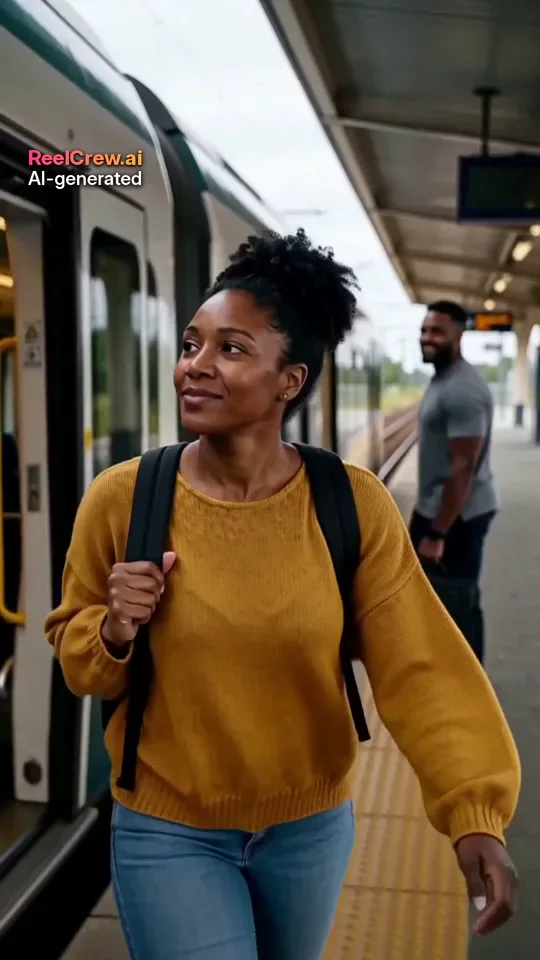
The airport hug you are missing. Use a recent photo of you and of a parent or sibling who agreed, and send the clip with “Next year, at the arrivals gate.”
The partner far away. For couples apart at Christmas, a hug clip on Christmas morning says more than a text. If you want something more romantic, the AI Kiss template makes a kiss instead, and the same works for New Year at midnight.
The family group chat. Send a hug clip from you and a grandparent or cousin, both adults who agreed, to start the Christmas Eve chat.
Santa for yourself. If you want something playful rather than tender, the Santa Visit template puts you in a Christmas scene with a generic Santa who brings a gift and gives you a quick hug, from one photo of yourself.
Turning Your Christmas Hug Into a Card
The video itself has no words and no on-screen text. The greeting goes in whatever carries it: the chat message, the email, or a printed card with a link or QR code that opens the clip. That is what turns a hug video into a Christmas card.
Keep the message short and personal. Name the person, say what you miss, and say when you hope to see them. A Christmas hug works best when it feels made for one person, not posted for everyone.
Christmas Hug Messages to Send With the Video
For a parent: “I cannot be at the door this Christmas, so here is the hug I owe you. Save me a seat at the table next year.”
For a partner: “Merry Christmas from the other side of the map. This is the first hug of the holidays; the real one is booked for when I land.”
For a sibling: “Same hug as every Christmas morning, just a bit further away this time. Open the parcel before breakfast.”
For a friend: “No mince pies together this year, so here is a Christmas hug instead. Call me when the house goes quiet.”
Change the words so they sound like you. The best message is the one only you could have written, with the name of the person, a detail from your own Christmas habits, and a date you hope to see them again.
When to Send Your Christmas Hug
Christmas Eve evening and Christmas morning are the two moments most people pick. Christmas Eve gives the person time to watch the clip quietly before the busy day; Christmas morning makes it part of the day itself. If they live in another time zone, work out their local time first, so the clip does not arrive in the middle of the night.
If you will be travelling, schedule the message in your chat app or email if it supports that, or ask someone at home to pass it on. And if you cannot decide, send it twice: a short clip on Christmas Eve and a call on Christmas morning. Nobody has ever complained about getting two hugs at Christmas.
Photo Tips for a Christmas Hug Video
Pick the clearest photo, not the most festive one. Christmas photos are often taken under tree lights or with a flash, which leaves faces orange or blurred. A selfie by a window in daylight usually works better.
Use one person per photo, with the face large and roughly facing the camera. Waist-up or head-and-shoulders photos give the AI enough of the body to build a hug. Remove sunglasses and heavy filters. Two photos taken in similar light look more natural together.
The AI follows the faces in the photos, but the people in the clip may not look exactly like them. If the first result is not right, try a different photo rather than the same one again.
A Christmas Hug for Someone Who Has Died
Some people look for a Christmas hug with a parent or grandparent who has died. We understand why. ReelCrew asks that everyone in a photo has agreed to appear in the video, which someone who has died cannot do, so we do not recommend using our templates this way. A written memory, a photo shared in the family chat, or a call with someone who knew them may be a kinder way to keep them close at Christmas.
Consent and Honest Limits
Only upload photos of adults who agreed to appear in the video, and ask again before posting it anywhere public. ReelCrew does not accept photos of children, so it cannot make a Christmas hug video with a child. There is a report page for misuse.
Every video is 12 seconds, vertical 1080×1920, with sound and a small AI-generated label. Nobody speaks in the clip and there is no lip-sync. It is a generated moment, not a filmed one, and it does not replace the real hug you will share when you meet again.