AI Birthday Video From Photos: How to Make One
Published 2026-10-22
Want to skip straight to it? Use the AI Hug Generator: The AI Hug Video Generator for Two Photos — two photos, a few minutes.
AI Birthday Video From Photos: What You Can Make
An AI birthday video turns a photo or two into a short clip you can send on the day or post as a birthday story. Instead of a slideshow, the AI generates a moving scene: the birthday person and you in a hug, the two of you as a couple, or a funny solo clip of the birthday person doing a trend. This guide explains which kinds of AI birthday video work, how to make one on ReelCrew, and how to add the “happy birthday” part yourself.
Every face in the example images on this page is AI-generated. We do not show real customers or their videos.
One thing to know first: ReelCrew templates are not birthday-specific. There is no cake, no balloons and no on-screen text in the video. The birthday message is yours: you add it as a caption, a sticker or a voice note when you send or post the clip. That keeps the video personal, and it means the same clip works for a partner, a friend or a parent.
Which AI Birthday Video to Make for Whom
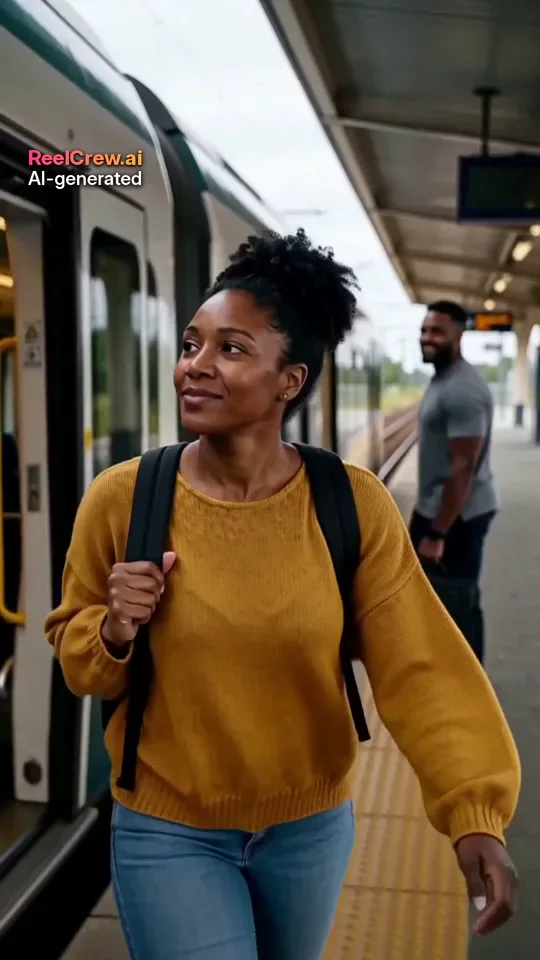
For a partner, a couple clip fits best. The AI Couple template shows the two of you side by side, cuddling or hugging and laughing. AI Kiss makes a gentle kiss clip, and AI Romantic a slower, romantic scene such as a slow dance. All of them take one photo of each of you, and the photos do not need to be taken together.
For a friend, a sibling or a parent, the AI Hug template is the safe choice. It makes a warm hug from two photos and is easy to share with family. It also works with an older photo, as long as the face is clear.
For a funny birthday post, use a solo trend template with one photo of the birthday person. Tip Toe Dance turns them into the star of the tiptoe dance meme, and Giant Slime Bubble films them stretching a huge, colourful slime bubble. Ask first: a funny clip is only a gift if the birthday person is happy to see it.
How to Make an AI Birthday Video on ReelCrew
Step 1: choose a template from the list above.
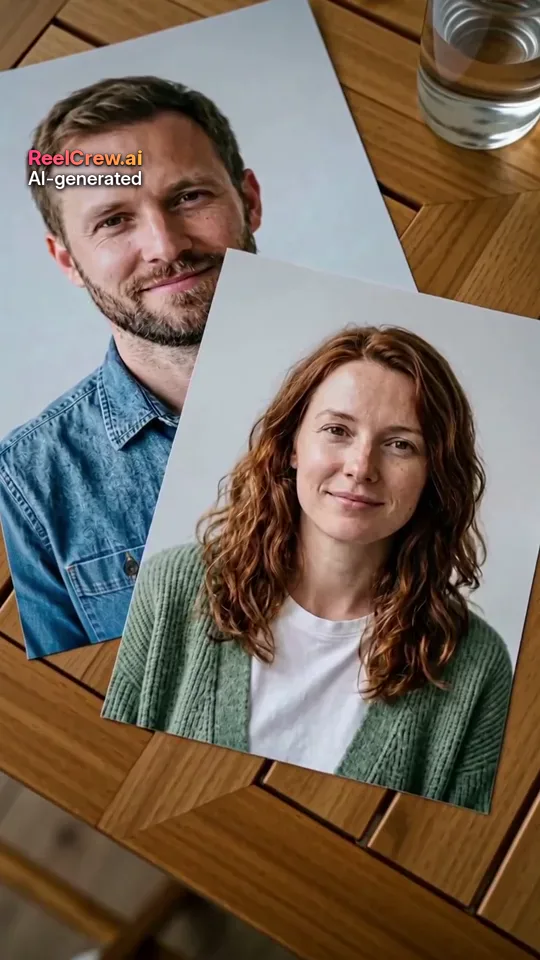
Step 2: upload the photo or photos. Couple, kiss and hug templates need two photos, one person in each. Solo trend templates need one photo of one adult.
Step 3: confirm you have permission to use the photos and press Generate. Most videos are ready in a few minutes, and you can follow the progress on the result page.
Step 4: sign in with Google and use your free daily credit to watch a complete preview at 540×960 with a watermark, so you can check the result before paying anything.
Step 5: if you like it, pay once to download the full-quality 1080×1920 file without the preview watermark. Current prices are on the pricing page. A small “AI-generated” label stays on every video.
Choosing Photos for an AI Birthday Video
The photo decides most of the result. Use one person per photo, with the face clearly visible and roughly facing the camera. Good, even light matters more than a large file: ReelCrew resizes uploads to at most 1536 pixels on the long side, so a sharp photo beats a big blurry one. Avoid sunglasses, masks, hands over the face, heavy filters and group photos.
For two-photo templates, choose photos with similar light and angle so the two people look natural together. For solo trend templates, follow the template’s own advice; some work best with a head-and-shoulders photo, others with the whole body in frame.
Only use photos of adults who agreed to it. A birthday surprise is a good reason to make the video, but not a reason to skip asking. If you are not sure, use photos the birthday person has already shared with you and is happy to appear in, and send the clip privately first.
Adding the Birthday Message
Because the clip has no on-screen text, the birthday part happens when you share it. On TikTok or Instagram, add a text sticker such as “Happy birthday” with the name and age if they are happy for it to be public, and pick a birthday song from the app’s music library if you want one instead of the template’s music. In WhatsApp or iMessage, send the video with a short message, or follow it with a voice note.
A simple structure that works: the clip first, then one line about why you made it. For a partner, the place you met; for a friend, an inside joke; for a parent, a memory from when you were small.
AI Birthday Video Ideas
A long-distance birthday: if you cannot be there, make an AI Hug or AI Couple clip from two photos taken in your two cities and send it at midnight in their time zone.
A birthday countdown: post one clip a day in the week before the birthday, ending with the hug or couple clip on the day.
A then-and-now birthday: pair an old photo of the birthday person with the AI clip made from a recent one.
A group message: friends each send a line of text or a voice note, and you send the clip first to open the thread.
A milestone birthday: for a big number, combine the AI clip with a short photo timeline made in any free editor, so the story ends on movement.
Where to Share an AI Birthday Video
The clip is 12 seconds long, vertical and 1080×1920, so it fits Stories, TikTok, Reels and Shorts without cropping, and plays well on a phone in a chat. If you plan to show it at a party on a TV, check that the screen can show vertical video, or play it from a phone.
Think about who will see it. A hug clip is easy to share with the whole family; a kiss clip is usually better sent privately.
Honest Limits of an AI Birthday Video
An AI birthday video is generated, not filmed. The scene comes from the template and the faces follow the photos as closely as the model can, but the result may not look exactly like the person. A sharper, front-facing photo helps most. It is a fun extra on top of a call, a card or a visit, not a replacement for them.
If the preview does not look right, you have not paid anything yet. Try a different photo first, then a different template.
It also helps to make the video a day or two early. Generation usually takes a few minutes, but leaving time means you can try a second photo or another template without rushing, and you are not waiting for a preview at midnight when you meant to send the clip. Save the downloaded file on your phone so it is ready to send the moment the birthday starts.
Related Guides
If the birthday is also an anniversary, or you live apart, these guides go into more detail: anniversary video ideas from photos, long distance relationship gift ideas, and how to make a couple video from two photos.