AI Kiss Video Generator Without Login: What Is Actually Free
Published 2026-10-22
Want to skip straight to it? Use the AI Kiss Generator: The AI Kiss Video Generator for Two Photos — two photos, a few minutes.
Why People Want an AI Kiss Video Generator Without Login
It is easy to see the appeal. You want to try an AI kiss video once, you do not want another account, another password or more marketing emails. So you search for an AI kiss video generator without login, and ideally free.
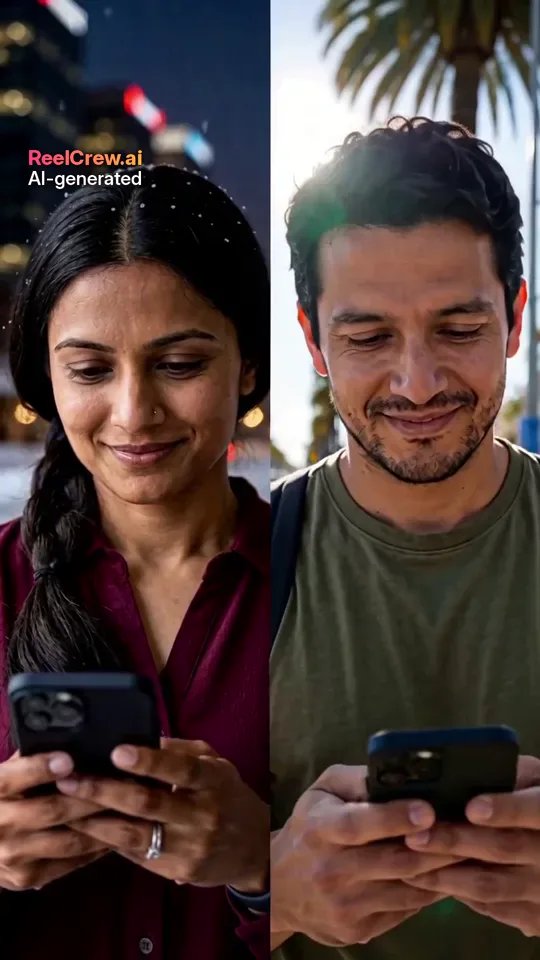
This guide is honest about what is realistic. Generating video costs real money in computing, so tools that are fully free and need no login usually limit you somewhere else: a watermark, low resolution, a long queue, or a paywall at download. Every face in the example images on this page is AI-generated, and no real customers are shown.
What “No Login” Usually Means
Some tools let you upload and generate without an account, then ask for an email or payment before you can download. Others let you download a short low-resolution clip with a large watermark. A few require an app install instead of a login, which is not really fewer steps.
Read the steps before you upload photos. If a site asks for payment details before showing any preview, or hides who runs it, try something else.
How ReelCrew Handles Login
ReelCrew is upfront about this. The free preview needs a Google sign-in: signed-in users can claim a free daily credit for one watermarked preview per day, so you can check the faces before paying. Sign-in is what stops the free credit from being abused.
Paying for a video does not require an account. If you would rather not sign in at all, you can buy the full-quality 1080×1920 video directly. Current options are on the pricing page. Either way, each video is 12 seconds, vertical, with sound and a small “AI-generated” label.
Free vs Paid: What You Get
The free preview is a watermarked clip so you can judge the result: do both faces look right, is the motion natural, is the photo good enough? The paid download is the full-quality file without the preview watermark. The small “AI-generated” label stays on every video.
If you only want to see whether an AI kiss video generator works for your photos, the free preview is enough. If you want to post or send the clip, the paid file is the one to use.
How to Make an AI Kiss Video, Step by Step
Step 1: Choose one clear photo of each person, one face per photo, in good light. Step 2: Open the AI Kiss template. Step 3: Either sign in with Google for the free watermarked preview, or go straight to the paid option. Step 4: Press Generate; it usually takes a few minutes. Step 5: Download the video and share it in your chat or on social media.
For a more intense kiss, use AI French Kiss. For a gentler clip of two people side by side, use AI Couple.
Common Catches in Free AI Kiss Video Generators
Low resolution. A free clip may be small or blurry, which looks fine on a tiny preview and poor on a phone screen.
Long queues. Some free tiers put you behind paying users, so a clip that should take minutes can take much longer.
Trials that renew. A “free trial” that needs card details often turns into a weekly or monthly subscription. Note the renewal date or skip it.
Download paywalls. Some tools let you generate for free and charge only when you try to save the file. That is fine if it is clear upfront; it is a catch if it is not.
Data reuse. Check whether uploaded photos can be used to train models or kept indefinitely. Your partner’s face is involved too.
Questions to Ask Before You Pay Any AI Kiss Video Generator
What exactly do I get: resolution, length and whether the watermark is removed? Is it a one-off payment or a subscription? Can I see a preview of my own photos first? How long are my photos kept, and can I delete them? Is there a way to report misuse? A trustworthy tool answers all of these on its pricing, privacy or help pages.
Making the Most of a Free Preview
Treat the free preview as a test of your photos. If the faces look right, the paid version will look the same, just sharper and without the preview watermark. If they look wrong, change a photo and try again the next day rather than paying for a result you already know you do not like.
Keep a note of which photos worked. Couples often find one photo of each person that the AI follows well, and reuse those for other templates such as AI Hug or AI Couple.
Safety Checks for Any Free AI Kiss Video Generator
No-login tools can be fine, but check a few things. Is there a privacy policy that says how long photos are kept? Is there a way to report misuse? Does the site only accept photos of adults? Does the video carry an AI label? If the answer to these is no, your photos and the people in them are less protected.
A tool that explains its limits clearly is usually more trustworthy than one that promises everything. Clear limits mean someone has thought about costs, abuse and your photos, and is willing to tell you the trade-offs upfront.
Be careful with sites that promise unlimited free videos with no watermark and no login. Somebody pays for the computing, and it may be with your data or with ads you did not expect.
Ways to Keep Your Privacy Without Skipping Sign-In
If the reason you want an AI kiss video generator without login is privacy, there are middle paths. Sign in with an account you already have rather than creating a new password. Use a tool that lets you pay without an account. Read how long photos are kept, and delete them when you are done if the tool allows it. Avoid uploading photos with other people, location details or anything you would not want stored.
Remember that the photos you upload are of two people. Their privacy matters as much as yours, which is another reason to choose a tool that explains what happens to uploads.
What to Do If a Tool Misuses Your Photos
If you see a video of yourself that you did not agree to, take screenshots with the link and date, then use the site’s report or contact page to ask for removal. If it was posted on a social platform, report it there too; most platforms have a specific option for intimate or manipulated content of real people. If someone is using such a video to threaten or embarrass you, keep the evidence and seek help from people you trust and, where appropriate, the police.
Alternatives When a Kiss Video Is Not Right
Sometimes the search for an AI kiss video generator without login is really a search for a quick, sweet clip to send. If a kiss feels too personal, an AI hug video or an AI couple clip of the two of you side by side does the same job and is easier to share with friends and family.
If the goal is a long-distance message, a short video plus a voice note often means more than any effect. If it is an anniversary, an AI romantic clip such as a slow dance can feel more like a gift.
Consent Comes First
Whichever AI kiss video generator you use, with or without login, only upload photos of adults who have both agreed to be in a kiss video. Never use photos of an ex, a crush, a coworker, a celebrity or a child. Ask before you post a kiss video publicly, even of your own partner.
If you find a ReelCrew video that uses your face without permission, report it on the report page.
Photo Tips That Save You a Retry
Because free previews are limited, a good photo matters. Use a recent photo with the face large and sharp, daylight from the front, no sunglasses or masks, and only one person in the frame. Similar light in both photos helps the two faces look like they belong in the same scene.