AI Couple Generator: Couple Photos vs Couple Videos
Published 2026-10-22
Want to skip straight to it? Use the AI Couple Video Generator — two photos, a few minutes.
What an AI Couple Generator Does
An AI couple generator puts two people into one picture or one clip, even if they were photographed apart. People use one for long-distance relationships, anniversaries, a cute story post, or simply to see the two of them in a scene they never had the chance to photograph.
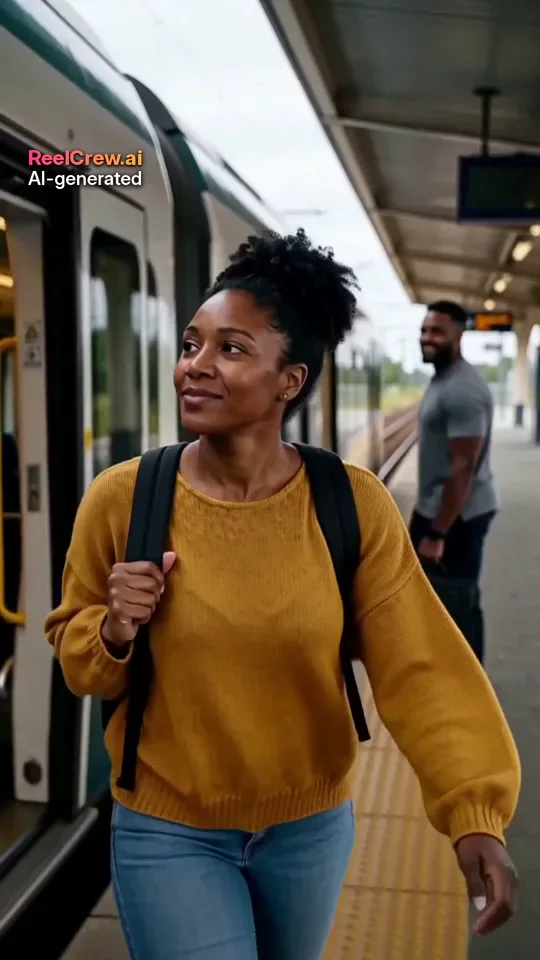
There are two broad kinds. An AI couple photo generator makes still images. An AI couple video generator makes a short clip in which the two people move together. This guide explains the difference, what to watch for before you upload, and how ReelCrew makes couple videos. Every face in the example images on this page is AI-generated, and no real customers are shown.
AI Couple Photo Generator vs AI Couple Video Generator
A couple photo generator is faster and usually simpler. It can produce styled portraits, such as a wedding-style picture or a themed costume shot, and you can pick the best still from several tries. Stills are easy to print, frame or use as a profile picture.
A couple video generator creates movement: the two people turn to each other, hug, kiss or dance. A short video feels more like a moment than a portrait, which is why couple clips are popular in stories and chats. The trade-off is that video is harder to get right. Faces have to stay consistent across many frames, and motion can expose small errors that a still would hide.
If you want something to frame, a photo is the better fit. If you want something to send that makes the other person smile, a short couple video usually lands better.
How the ReelCrew AI Couple Generator Works
ReelCrew is a video tool, so it sits in the second group. You choose a template, upload one photo of each person, and the AI generates a 12-second vertical video with sound, sized 1080×1920 for stories, Reels and Shorts.
Step 1: Open the AI Couple template, or another couple template such as AI Hug, AI Kiss or AI Romantic. Step 2: Upload one clear photo of each person, one face per photo. Step 3: Sign in with Google to claim a free daily credit for a watermarked preview, then press Generate. It usually takes a few minutes. Step 4: Watch the preview and check both faces. Step 5: If you like it, buy the full-quality file and download it. Current options are on the pricing page.
Which Couple Template to Pick
AI Couple makes a gentle clip of the two of you together and suits almost any occasion, including posts that family will see. AI Hug is warm and easy to share, and it works well for reunions and long-distance messages. AI Kiss is more personal and best for a partner. AI Romantic is a slower, cinematic moment that suits anniversaries.
All four take one photo of each person, so you can try the same pair of photos in more than one and keep the clip you like best.
Photo Tips for Any AI Couple Generator
Use one person per photo, with the face large, sharp and roughly facing the camera. Even daylight from the front works best. Avoid sunglasses, masks, heavy beauty filters, and hair across the eyes. Head-and-shoulders or waist-up photos give the model enough to work with.
The two photos do not need to be taken together, but similar light, angle and distance from the camera help the two people look like they belong in the same scene. A photo taken outdoors at noon next to one taken in a dim bar is the most common reason a couple clip looks pasted together.
If something looks wrong in the preview, change the photo first. A better photo fixes more problems than another try with the same one.
What to Check Before You Use an AI Couple Generator
Who can be uploaded. A responsible AI couple generator should only accept photos of adults and should ask you to upload only people who agreed. Be wary of tools that make it easy to pair yourself with a stranger, a celebrity or someone from a social profile.
What happens to your photos. Read how long photos are kept, whether they are used for training, and how to delete them. Two people’s faces are involved, so this matters twice.
How you pay. Look for a preview before payment and a clear price, and check whether it is a one-off payment or a subscription that renews.
Whether results are labelled. Output that carries an “AI-generated” label is easier to share honestly.
Good Uses for an AI Couple Generator
A long-distance couple who have never been photographed together in a particular city. An anniversary surprise for a partner. A playful clip for a story post that both of you agreed to share. A gift for a couple in your family, made with their permission, for a wedding anniversary.
In each case the clip is a small gesture rather than a record of something that happened, and it works best when everyone in it knows how it was made.
Planning a Couple Video for a Special Date
Timing makes a short clip feel like a gift. Send an anniversary clip first thing in the morning, a long-distance hug the night before a visit, or a festive couple video in a family chat in December. Pair it with a few words of your own; the message is what people remember, and the video is what makes them open it.
Plan the photos a day ahead. Pick the clearest photo of each of you, check the light, and try the free preview early so there is time to swap a photo if one face does not look right. If the clip is a surprise for your partner, it is still worth knowing in advance that they are comfortable with AI videos of themselves.
Keep the clip short and the occasion simple. A 12-second moment with sound works best as one part of the day, next to a call, a card or a plan to meet, rather than as the whole gift.
When Not to Use One
Do not use an AI couple generator with a photo of a crush, an ex, a coworker, a celebrity or anyone who has not said yes. Do not make a couple video to make someone jealous or to suggest a relationship that does not exist. Never use photos of children. If you would not be comfortable with the other person seeing how and why the clip was made, do not make it.
Common Problems and Fixes
One face looks like someone else. The model only has one photo of each person. A sharper, more recent photo with a neutral expression usually helps.
The two people look different sizes or lit differently. Choose photos taken at a similar distance and in similar light.
Hands or hair look strange. These are still hard for video models. Photos with hair away from the face and hands out of frame reduce the problem.
The motion looks stiff. Try a different template with the same photos; some pairs of photos suit a hug better than a kiss, or the other way round.
Sharing a Couple Video
Most couples send the clip privately first. If you both want to post it, keep the “AI-generated” label visible and say in the caption that it was made with AI. Vertical 9:16 clips play directly in stories, Reels, Shorts and most chat apps, and ReelCrew videos have no on-screen text, so you can add your own caption.
Honest Limits and Consent
Any AI couple generator, ReelCrew included, makes a generated scene, not a real moment. Faces may not match the photos exactly, details can change, and every clip can come out a little different. ReelCrew does not make talking or lip-sync videos, and a 12-second template clip is not the right tool if you need a specific place, outfit or long story.
Only upload photos of adults who have agreed. If you find a ReelCrew video that uses your face without permission, report it on the report page.