AI Kiss App or Browser? How to Make an AI Kiss Video on Your Phone
Published 2026-10-22
Want to skip straight to it? Use the AI Kiss Generator: The AI Kiss Video Generator for Two Photos — two photos, a few minutes.
What an AI Kiss App Does
An AI kiss app takes two photos, one of each person, and generates a short video of the two people kissing. Search for one and you will find app store listings, web tools and videos explaining them. Most work the same way under the hood: an AI video model follows the two faces and creates a new scene.
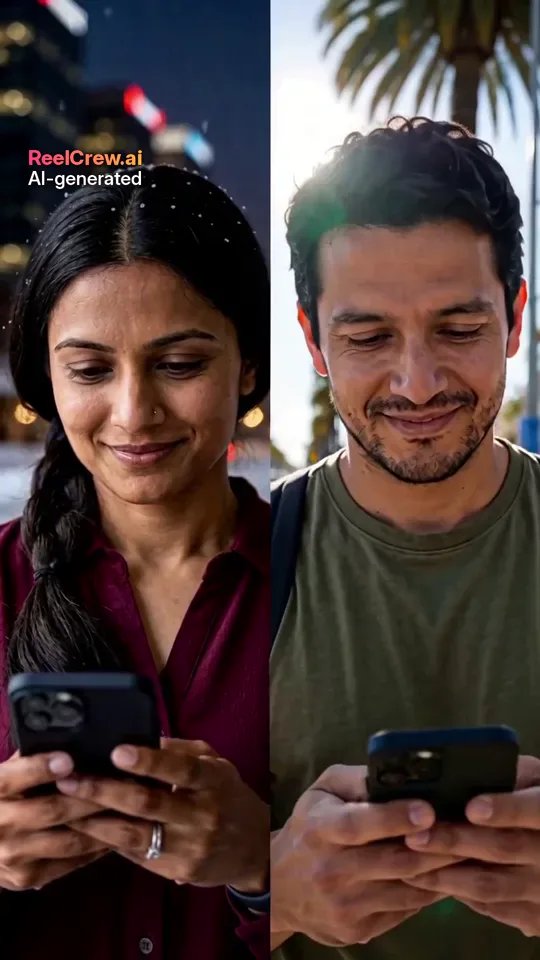
You do not always need to install anything. ReelCrew is not an app you download; it runs in the browser, including the browser on your phone. This guide explains what to check before you choose any AI kiss app and how the browser route works. Every face in the example images on this page is AI-generated, and no real customers are shown.
AI Kiss App vs a Browser Tool
An installed AI kiss app can be convenient if you use it often, and some offer extra editing features. The trade-offs are storage space, app permissions, and often a subscription that renews unless you cancel it.
A browser tool needs nothing installed. You open a page, upload two photos and download the video, which saves to your phone like any other file. For a one-off clip for an anniversary or a joke between partners, that is often enough.
Whichever you choose, the result depends far more on the photos and the model than on whether it is an app or a website.
What to Check Before You Upload Photos to Any AI Kiss App
Who can be uploaded. A responsible AI kiss app should only accept photos of adults and should tell you not to upload anyone without their consent. Be wary of tools that make it easy to use photos of strangers or celebrities.
What happens to your photos. Read the privacy policy: how long photos are kept, whether they are used for training, and how to delete them. If it is not explained clearly, do not upload.
How you pay. Look for a clear one-off price or a clear subscription with an easy cancel. Avoid apps that ask for payment details before you have seen a preview.
Whether the output is labelled. Clips that carry an “AI-generated” label are easier to share honestly and less likely to be mistaken for real footage.
How to Make an AI Kiss Video on Your Phone Without an App
Step 1: Open the ReelCrew AI Kiss template in your phone browser. Step 2: Upload one photo of each person, one face per photo, clearly visible. Step 3: Sign in with Google to claim a free daily credit for a watermarked preview, then press Generate. It usually takes a few minutes. Step 4: Watch the preview. Step 5: If you like it, buy the full-quality 1080×1920 file and download it to your phone. Current options are on the pricing page.
The result is a 12-second vertical video with sound, ready for a chat, a story or a Reel. For a more intense kiss, the AI French Kiss template works the same way. For something you can share with family, AI Hug makes a hug instead.
Kiss, French Kiss or Hug: Which to Pick
AI Kiss makes a gentle kiss between two people and suits most couples. AI French Kiss is more intense and is best kept private. AI Hug is the safe choice when the video might be seen by family, or when a kiss would be too much for the occasion. All three use one photo of each person and produce a 12-second vertical clip with sound, so you can try the same photos in more than one.
Photo Tips for Any AI Kiss App
Use one person per photo, with the face large and roughly facing the camera. Even daylight works far better than dark rooms or coloured lights. Avoid sunglasses, masks, heavy beauty filters and photos where hair covers the face. The two photos do not need to be taken together, but similar light and angle make the result look more natural.
If the face looks wrong in the preview, change the photo before anything else. A sharper, better-lit photo fixes more problems than any setting.
Common Problems With AI Kiss Apps and How to Fix Them
The faces drift or swap. This usually means the photos are too different: one dark, one bright, one side-on. Use two photos with similar light, both roughly facing the camera.
One person looks older, younger or like someone else. The AI only has one photo to go on. A sharper, more recent photo with a neutral expression usually helps.
Hands or hair look strange. Generated hands and long hair are still hard for video models. Photos where hair is away from the face and hands are not in the frame reduce the problem.
The kiss looks stiff. Waist-up or head-and-shoulders photos give the model more to work with than tight face crops or full-body shots.
The app keeps asking for money. Check before you start whether the preview is free, what the download costs and whether there is a subscription. If it is not clear, close it.
When an AI Kiss Video Is a Good Idea, and When It Is Not
Good ideas: a playful clip for your own partner, an anniversary surprise you show privately, a long-distance “see you soon” message, or a couple who simply enjoys AI trends together and both said yes.
Bad ideas: anything involving someone who has not agreed, a clip meant to make someone jealous, a prank on a friend with a photo of their crush, or anything posted publicly without asking. If you would not be comfortable with the other person seeing how the video was made, do not make it.
AI Kiss App Features Worth Having
A preview of your own photos before you pay, so you can judge the faces. A clear “AI-generated” label on the output. A way to delete your photos and videos. Vertical output that is ready for stories and chats without cropping. More than one template, so the same two photos can also become a hug or a gentler couple clip when a kiss is not right for the occasion.
Support matters too. Look for a contact page and a way to report misuse, so there is someone to ask if a payment or a video goes wrong.
Features that matter less than they seem: dozens of filters, “unlimited” claims and countdown discounts. The faces and the motion are what people notice.
Talk About It First
An AI kiss video is a small thing for some couples and a strange thing for others. Before you surprise a partner with one, it is worth asking how they feel about AI videos of themselves in general. Some people love them; some find them uncomfortable even when the result is sweet. A quick conversation avoids a surprise that lands badly.
Sharing an AI Kiss Video
Most couples send an AI kiss video privately first. If you both want to post it, keep the AI-generated label visible and say in the caption that it was made with AI. That keeps the post honest and avoids comments asking whether it is real. Vertical 9:16 clips play directly in stories, Reels and Shorts, and in most chat apps.
Consent Comes First
An AI kiss video shows two real people doing something intimate that never happened. Only make one with photos of adults who have both agreed, and ask again before posting it anywhere public. Never use photos of an ex, a crush, a coworker, a celebrity or anyone who has not said yes, and never photos of children. Making a kiss video of someone without consent can hurt them and, in some places, break the law.
If you find a ReelCrew video that uses your face without permission, report it on the report page.
Honest Limits
Any AI kiss app, ReelCrew included, makes a generated scene, not a real moment. Faces may not look exactly like the photos, hands and hair can look odd, and every clip can come out a little different. ReelCrew videos carry a small “AI-generated” label and have no on-screen text. If you need a specific place, outfit or long video, a short template clip is not the right tool.